IRL stream overlays: what to show, and how to set it up
Chat, alerts, a goal and a BRB screen are all an IRL stream needs. What each one does, how to keep them readable on a phone feed, and how to add them to OBS.
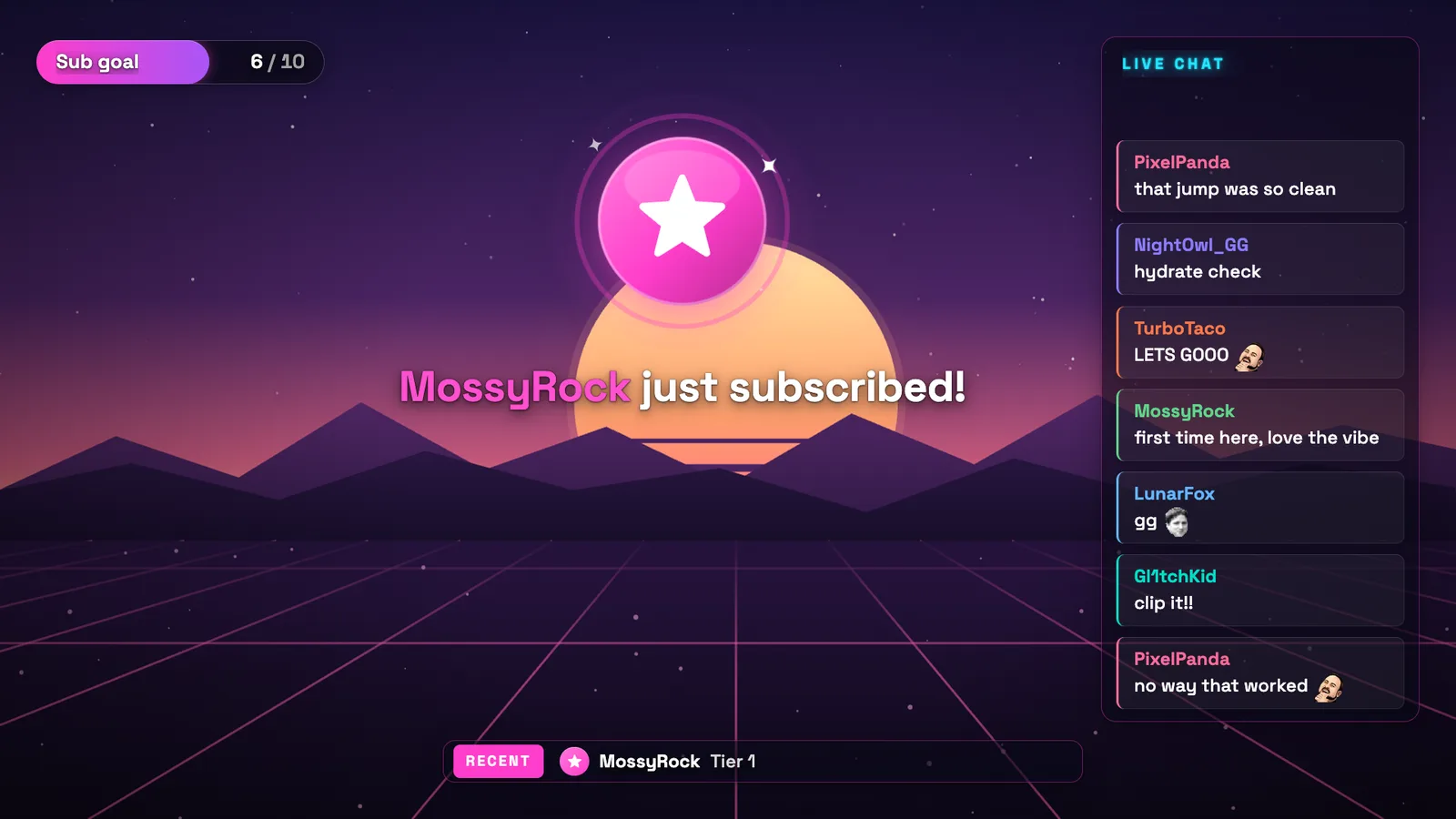
An IRL stream has less room than a desktop stream. The picture comes from a phone, the bitrate moves with your signal, and half your viewers watch on a phone too. So an IRL overlay should be small, readable and quiet. Four things earn their place: chat, alerts, one goal, and a screen for when the signal drops.
Layrs, the overlay tool used in the examples, is made by Vectio, the company behind IRLHost. It is free, and the steps work the same with any tool that gives you a browser source link.
1. Chat, because you can't read it while you walk
On a desktop stream, chat on screen is decoration. On an IRL stream it is how viewers follow the conversation when you answer someone out loud, and how the VOD still makes sense later.
Keep it narrow and in a corner your face and the street don't need. Outlined text without a background survives a busy picture better than a dark box.
- Twitch: the free Twitch chat overlay needs no account. Type your channel, pick a style, copy the link.
- Kick: Kick sends chat to an app only after you sign in and allow it, so the Kick chat overlay starts with signing in with Kick.
- Both at once: one overlay can show both chats. Read Twitch's simulcasting rule first; the Layrs guide explains what it allows.
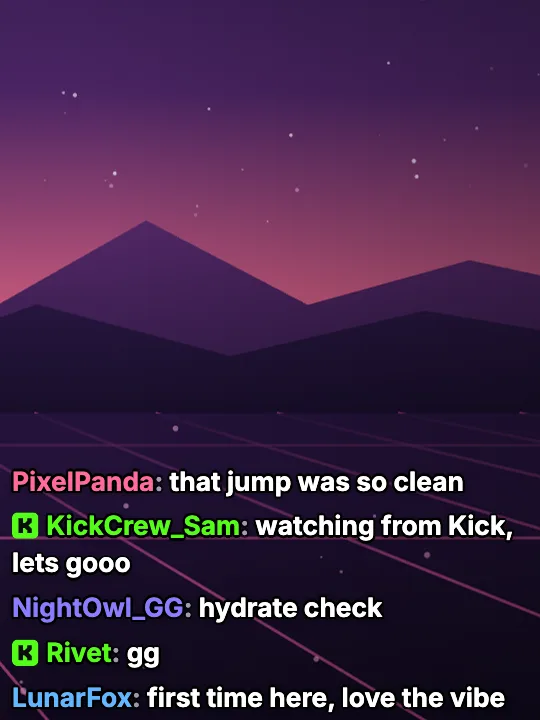
Twitch and Kick chat in one overlay.
2. Alerts you can hear
You won't see a follow or a sub while you're crossing a street. A short sound and a name on screen let you thank people without looking at your phone. Keep the alert small and near the top, where it doesn't cover what you're filming, and keep it short: an IRL stream has no quiet moments to fill.
Alerts for Twitch and Kick, in one box: Kick alerts in OBS and Twitch alerts.
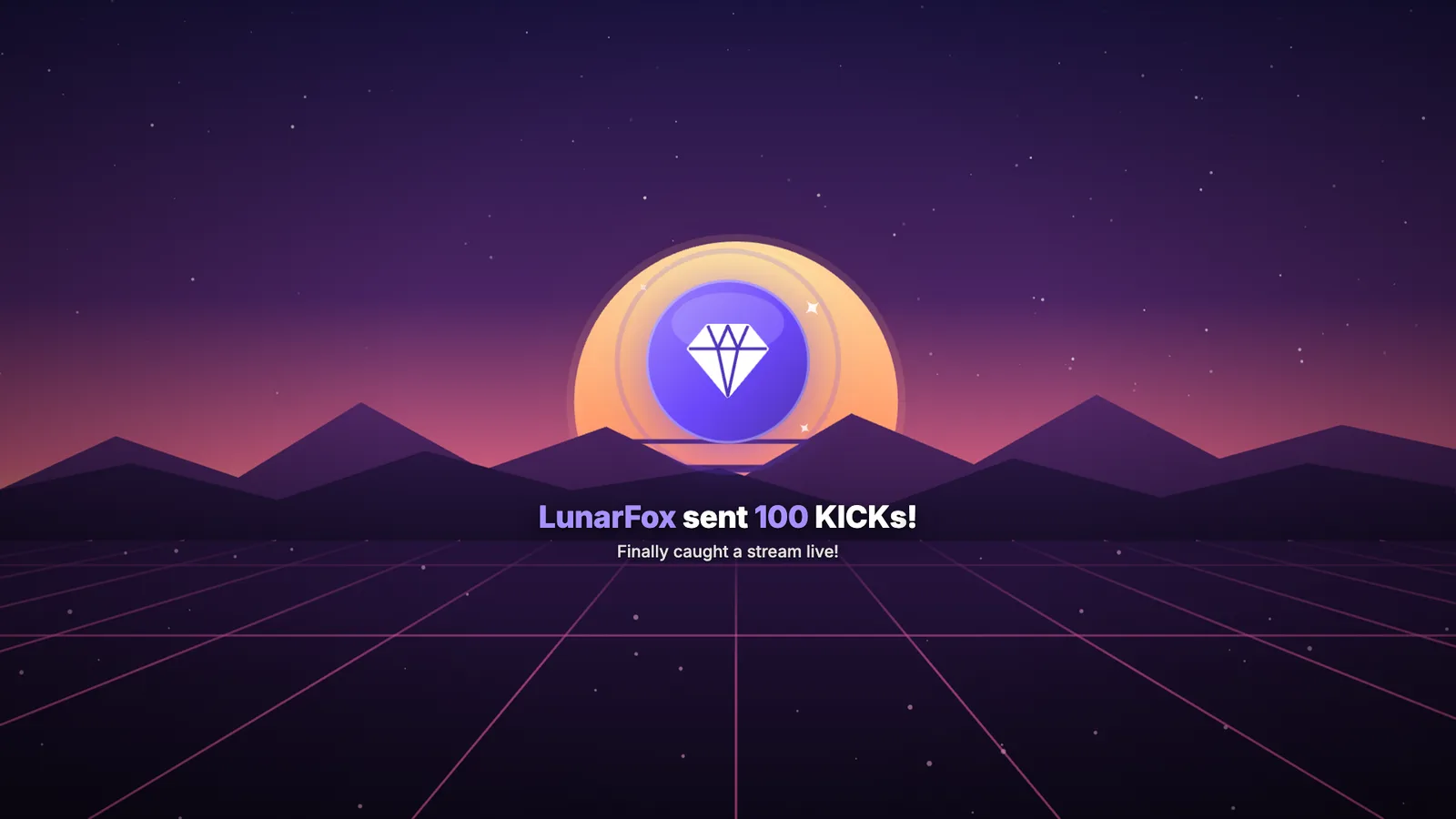
A test alert for Kick KICKs. Keep yours smaller on an IRL stream.
3. One goal, not five
A goal gives a long walk a storyline: "at 50 subs we take the cable car". One bar is enough. If you run a subathon, the timer is the goal: a subathon timer that counts Twitch and Kick subs and tips in one clock, and that your mods can add time to from chat, saves you from stopping to fix it yourself.
More on goals: sub, follower and donation goals.
4. A BRB screen for when the signal drops
It will drop: a tunnel, a crowd, a dead spot. A frozen frame makes viewers leave. A "Be right back" screen that still shows chat and the goal keeps them talking until you're back.
With IRLHost, the switch can happen by itself. Turn on Scene Switching in your dashboard and name your BRB scene: when the signal gets too weak, the stream changes to it, and back when the signal returns. It works with OBS on your PC through the IRLHost Link app, or in IRLHost Studio, whose template already has a BRB scene. What that scene shows is up to you. Set up a BRB scene for IRL streams walks through building one with chat, a goal and a photo of where you are.
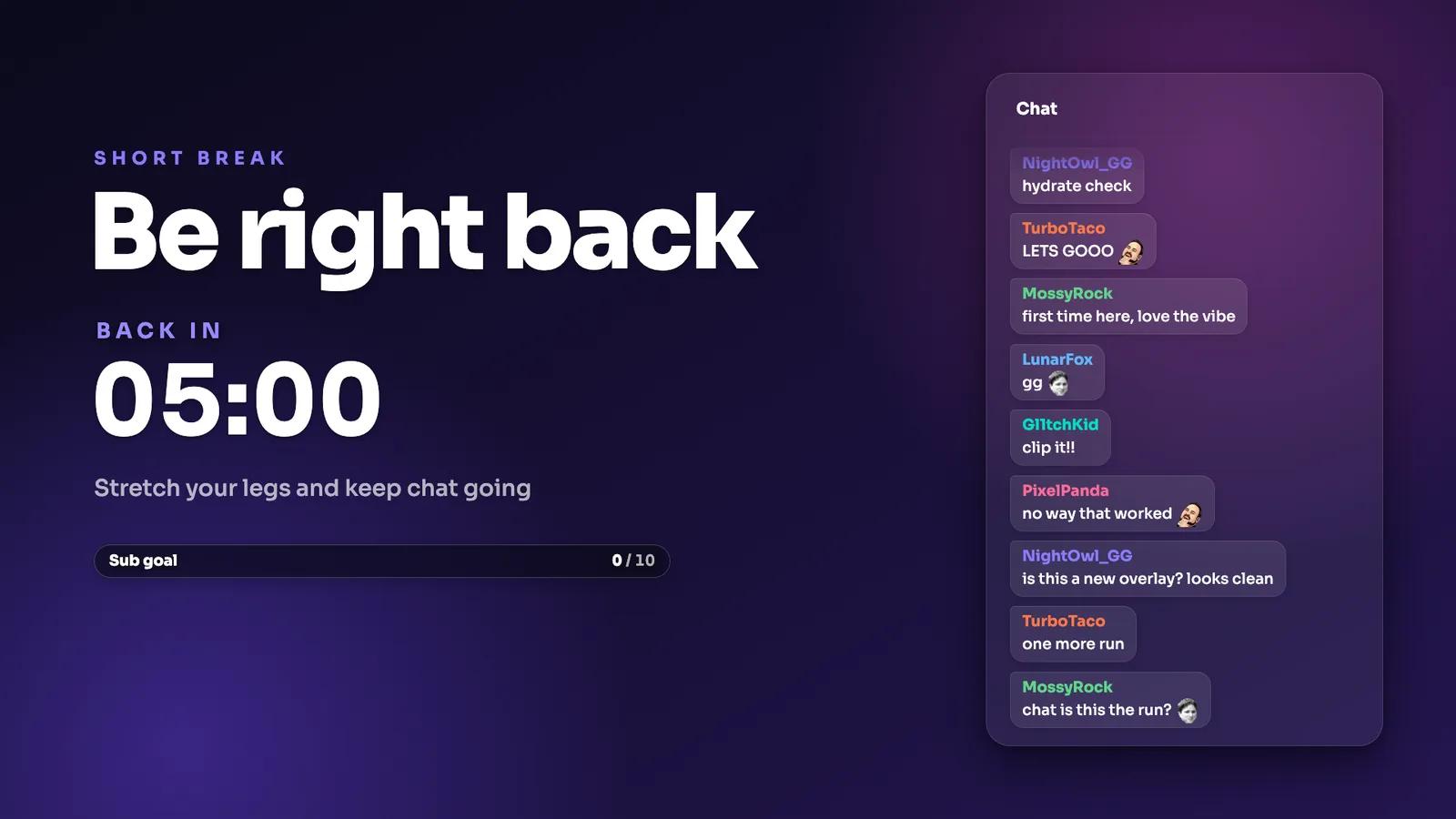
A Be right back scene: chat and the goal keep going while you reconnect.
Setting it up
Every overlay above is a link you add to OBS as a Browser source:
- Make the overlay and copy its link.
- In OBS, click + under Sources, pick Browser, paste the link and set the width and height the tool shows.
- Put it in the scene you stream from, and the BRB one in your BRB scene.
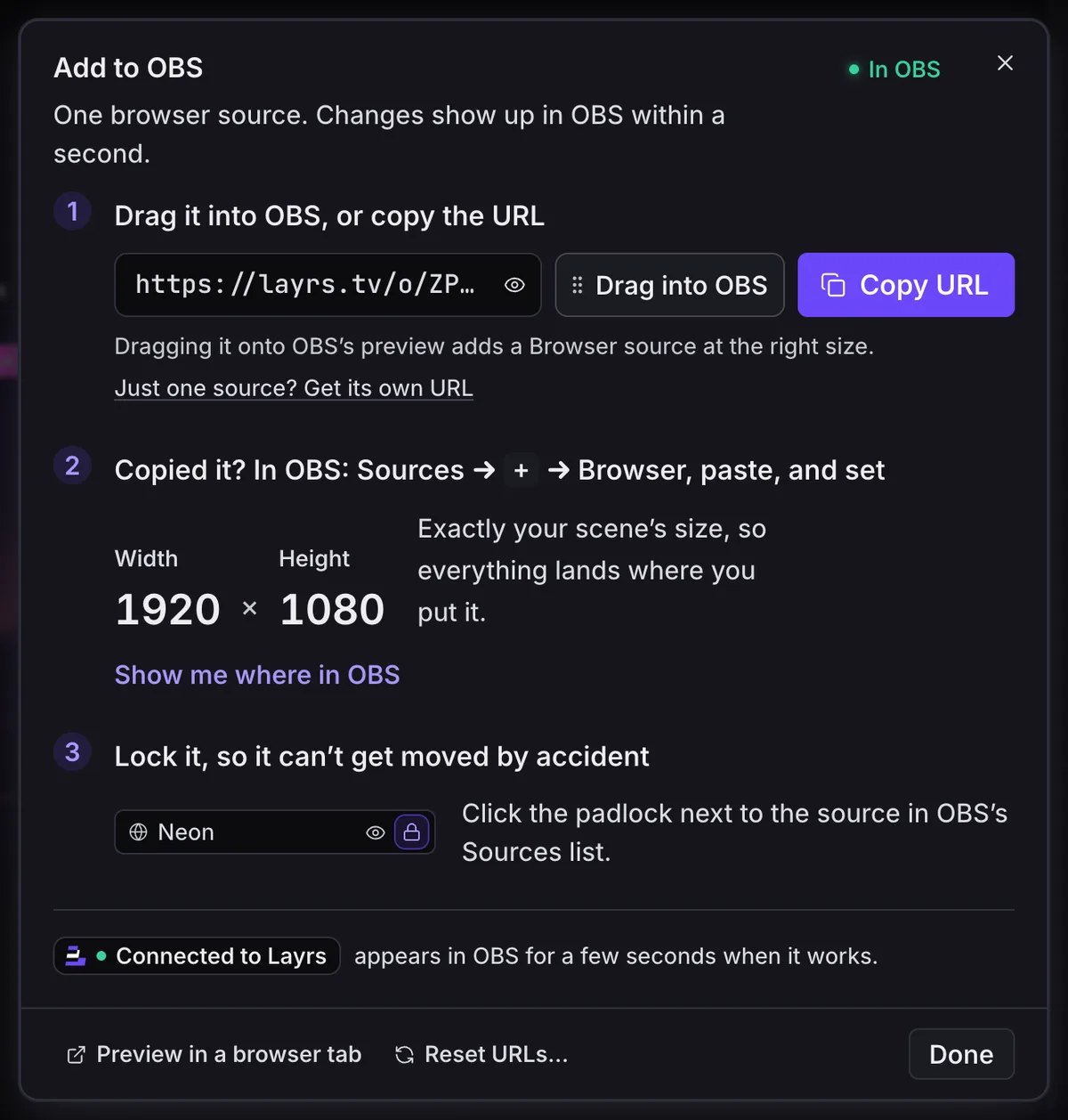
The link you paste into OBS as a Browser source.
With IRLHost, the overlays go in the OBS that receives your relay feed: OBS on your PC at home, or IRLHost Studio, the cloud OBS on the Pro plan, which takes browser sources the same way.
Want one link instead of four? In Layrs a scene holds chat, alerts and the goal together, so OBS needs one browser source, and a mod can move things around from home while you're out. That part matters on IRL: you can't open an editor on a sidewalk, but your mods can.
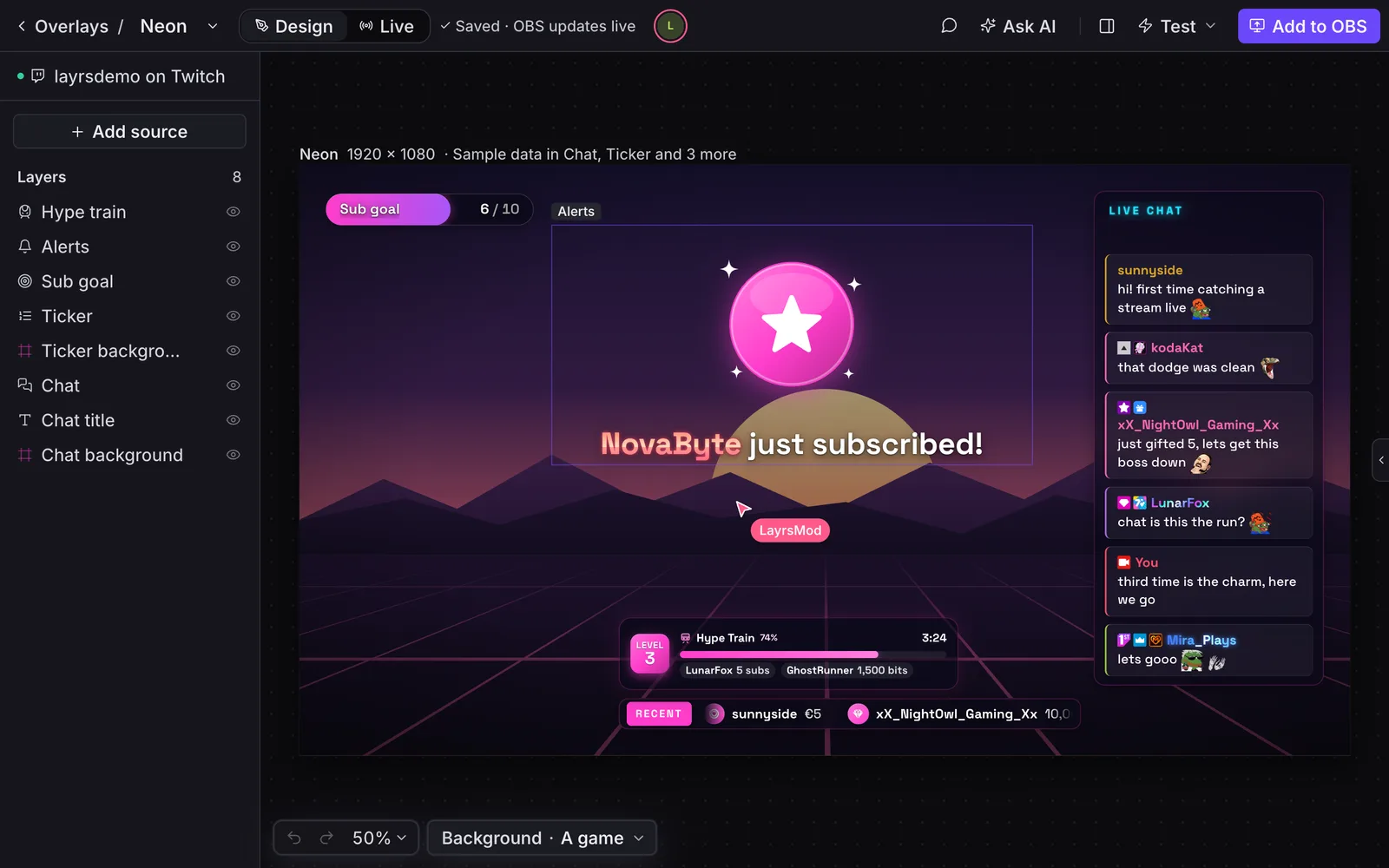
A mod working on the same scene from their own browser (demo channel).
What to leave out
- Webcam frames and big panels: the whole picture is your camera.
- Event lists and leaderboards: fine on the BRB screen, too much on the walking scene.
- Anything with small text. If you can't read it on your own phone at arm's length, viewers can't either.
FAQ
Do overlays use my mobile data?
No. The overlay is drawn by OBS where your stream is put together, on your PC or in the cloud, not by your phone. Your phone sends only the camera.
Can my mods change the overlay while I'm out?
In Layrs, yes: they edit it in their browser and it changes on stream. From chat they can type things like ;deaths 23 or ;subathon +10m.
Does it work on Kick?
Yes. Layrs overlays work on Twitch and Kick; what works on Kick lists each one.