How to Set Up IRL Pro with IRLHost for SRTLA Streaming
Connect IRL Pro on Android to your IRLHost relay server and start streaming with SRTLA bonding for rock-solid IRL streams.
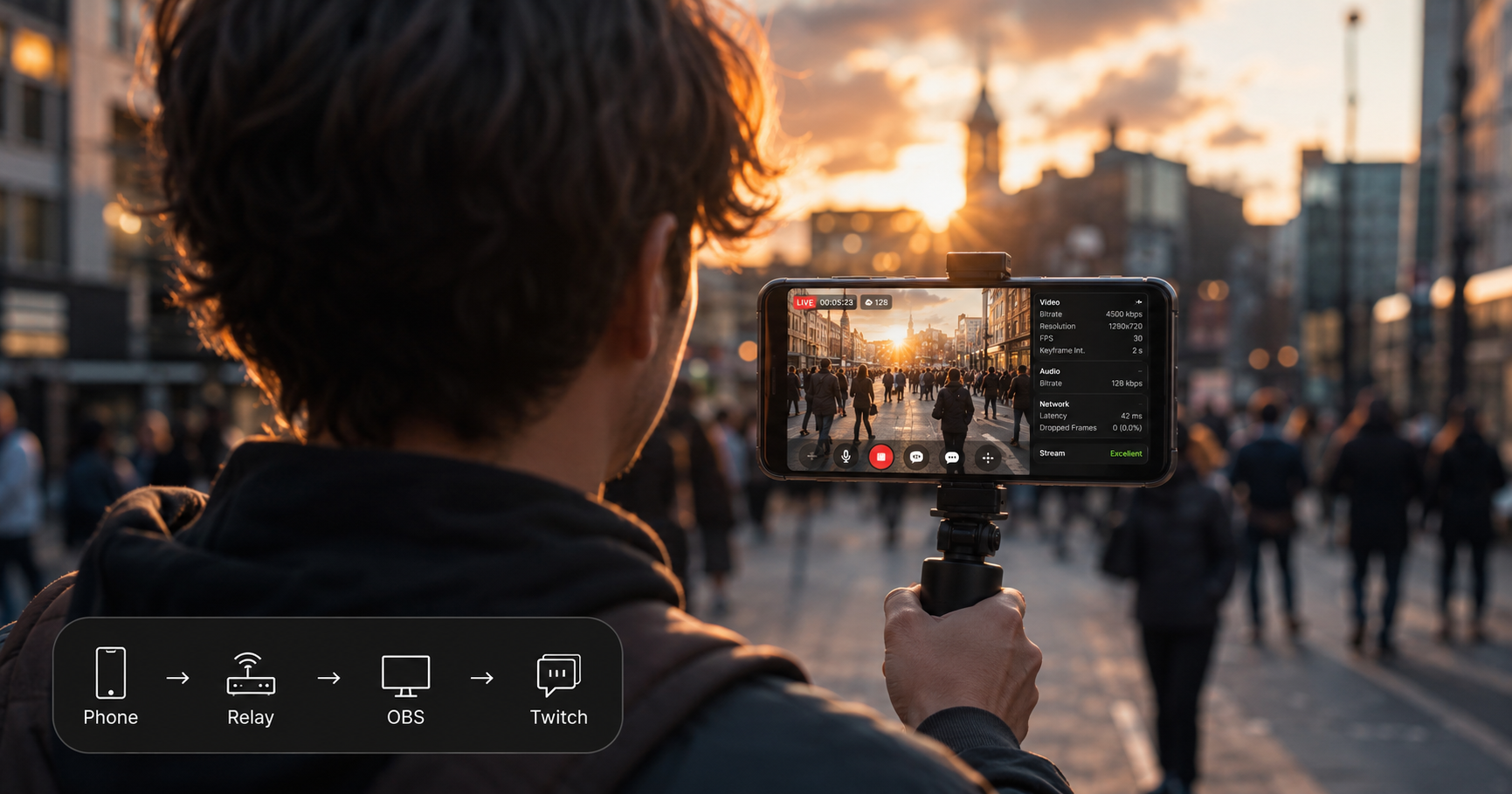
How to stream with IRL Pro and IRLHost
This guide covers pairing IRL Pro with IRLHost Plus and your own OBS at home. IRL Pro sends your stream from your Android phone to an IRLHost relay server. The relay lets you bond your WiFi and mobile data into one connection — fewer drops than streaming straight to Twitch or Kick — and gives your OBS at home a public address to pull from — so there is no port forwarding to set up. OBS then sends it to Twitch or Kick. Your stream key goes in OBS — not in IRL Pro or IRLHost. No PC at home? IRLHost Pro runs OBS for you in the cloud instead, no port forwarding or home PC needed either way.
Android (IRL Pro) → IRLHost relay → OBS at home → Twitch/Kick
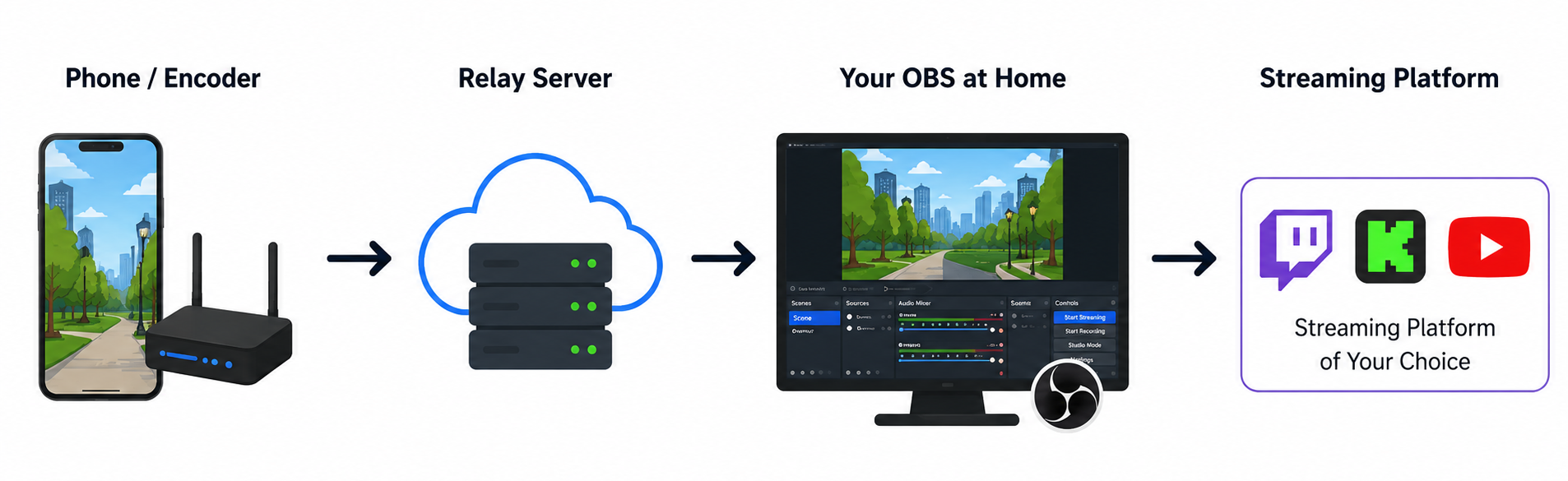
What you need
- Android phone with IRL Pro installed
- A computer at home running OBS
- An IRLHost relay server
- A mobile or WiFi data connection
Step 1: Create your relay server on IRLHost
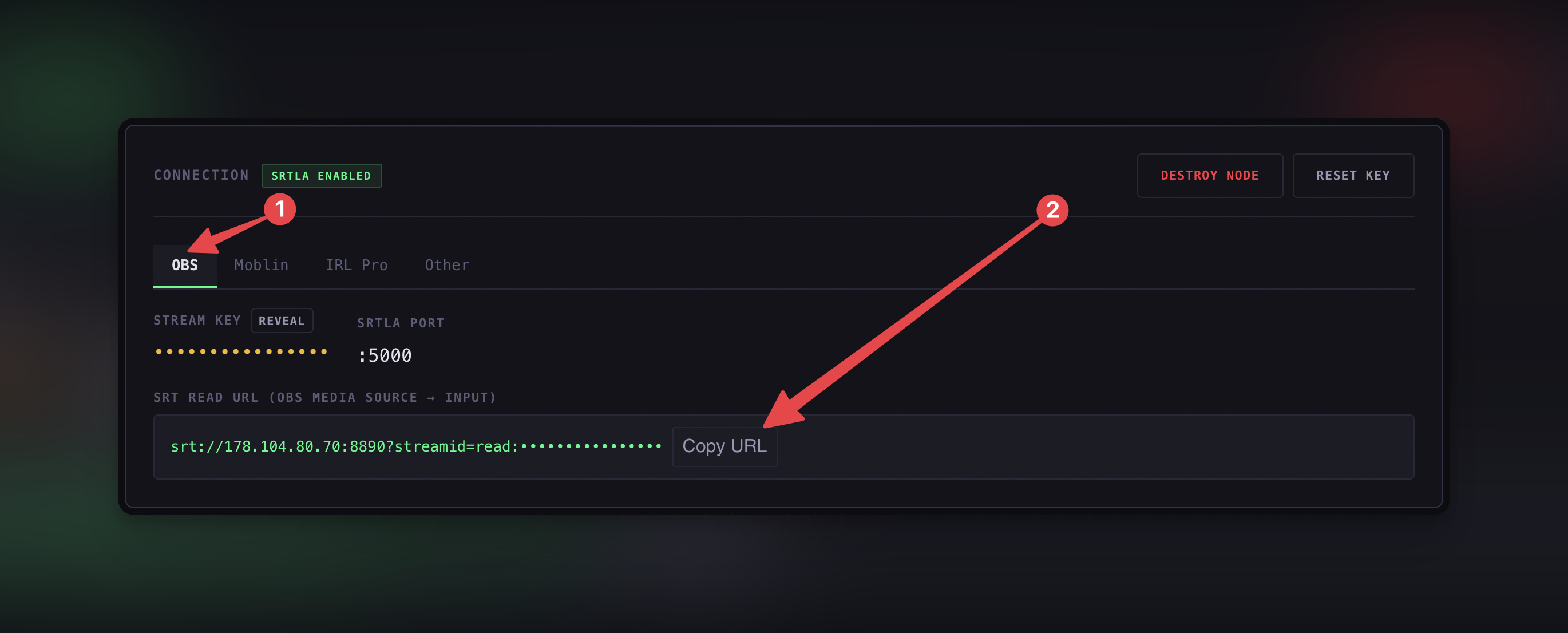
Log in to your IRLHost dashboard at irlhost.gg and create a new relay server. Once it is running, open the server. You will see tabs at the top: OBS, Moblin, IRL Pro, and Other.
Step 2: Copy your OBS URL from the dashboard
Click the OBS tab in your IRLHost dashboard. You will see a field called SRT Read URL. Click Copy URL — you will need this in the next step.
Step 3: Add a Media Source in OBS
Open OBS on your home computer. In the Sources panel at the bottom of the screen, click the + button.
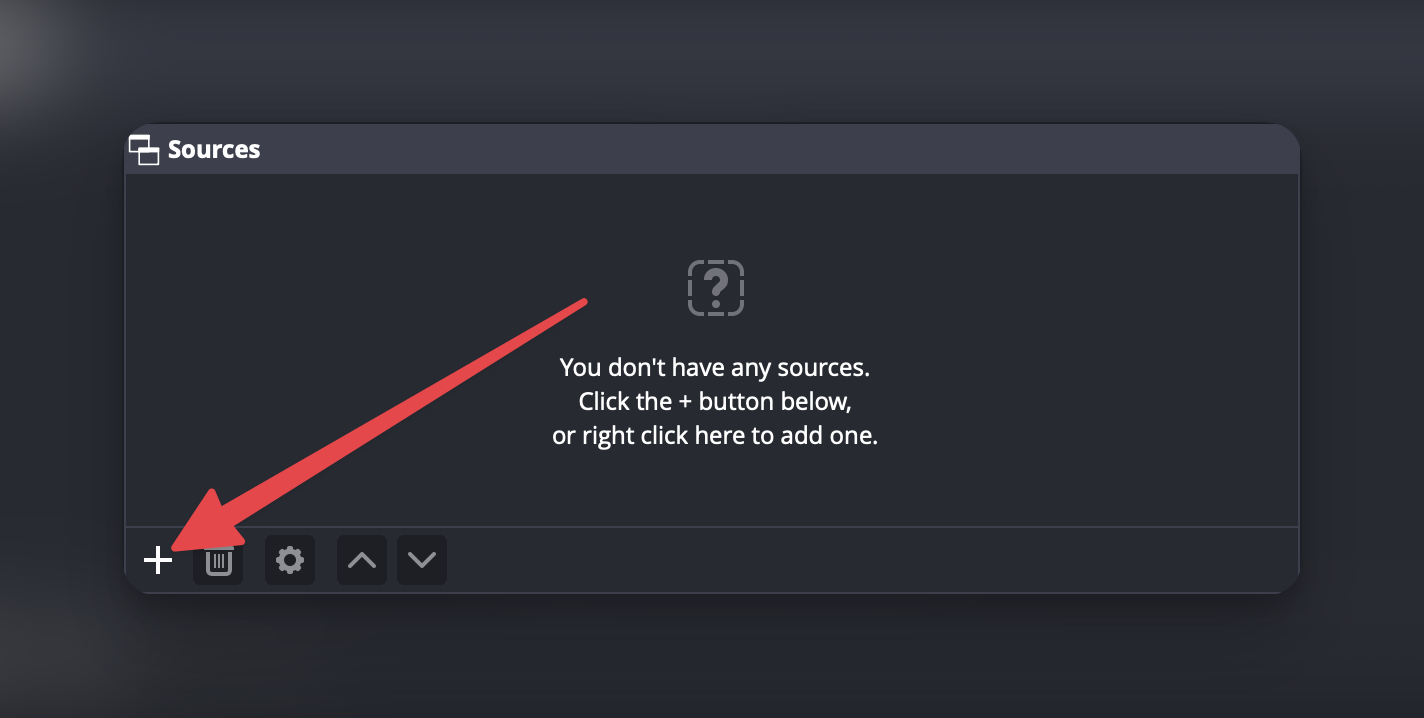
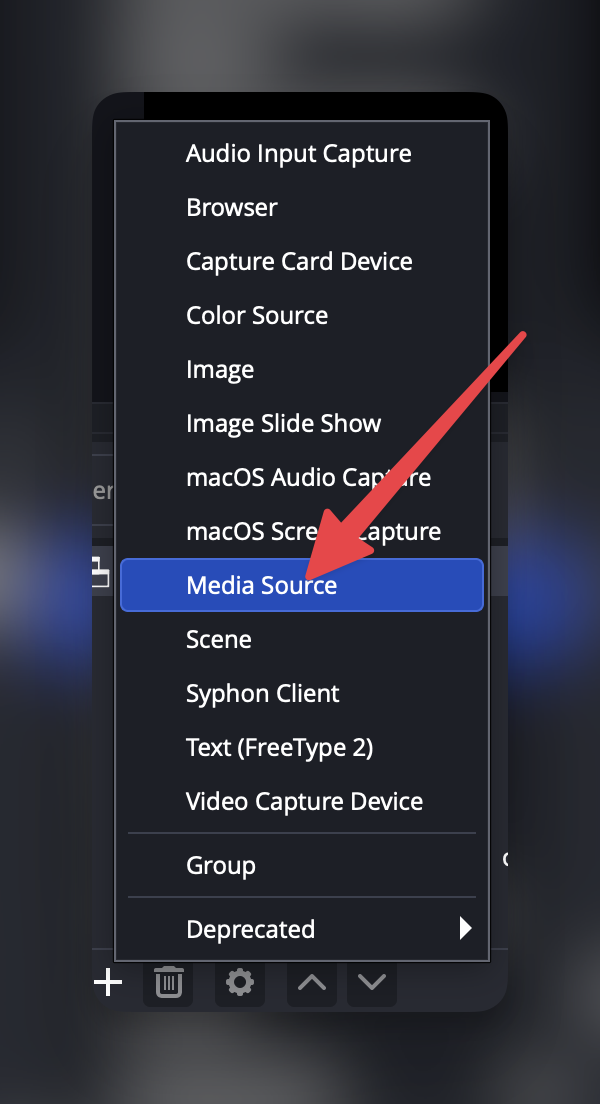
Select Media Source from the list. Give it a name — something like "IRLHost" works fine — and click OK.
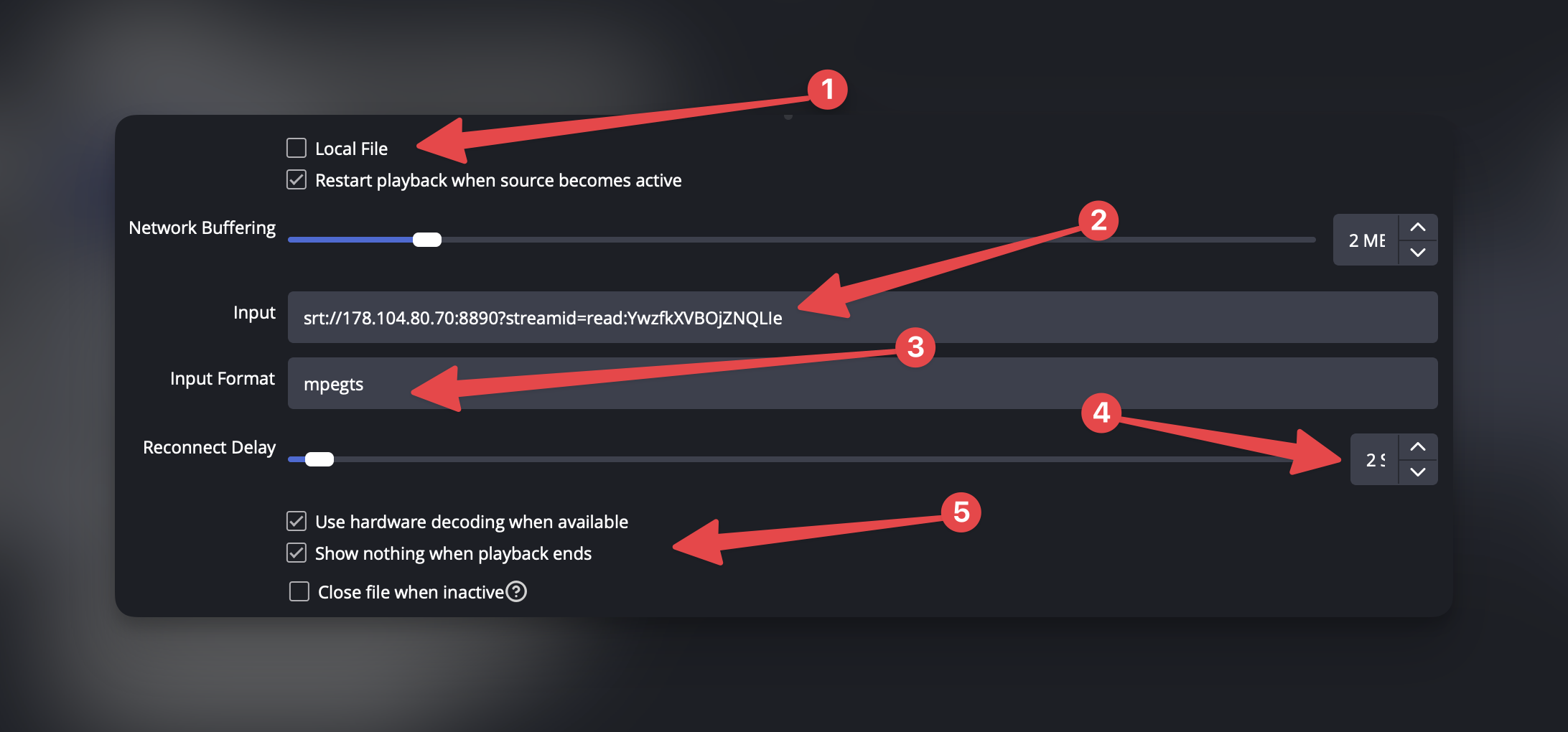
In the Media Source settings that open:
- Uncheck Local File
- Paste your SRT Read URL into the Input field
- Set Input Format to
mpegts - Set Reconnect Delay to
2-3 - Check Use hardware decoding when available
- Check Show nothing when playback ends
Click OK.
Step 4: Connect OBS to Twitch or Kick
Go to Settings → Stream in OBS and select Twitch or Kick. Click Connect Account to log in directly, or enter a stream key manually if you prefer.
Step 5: Configure IRL Pro on your Android phone
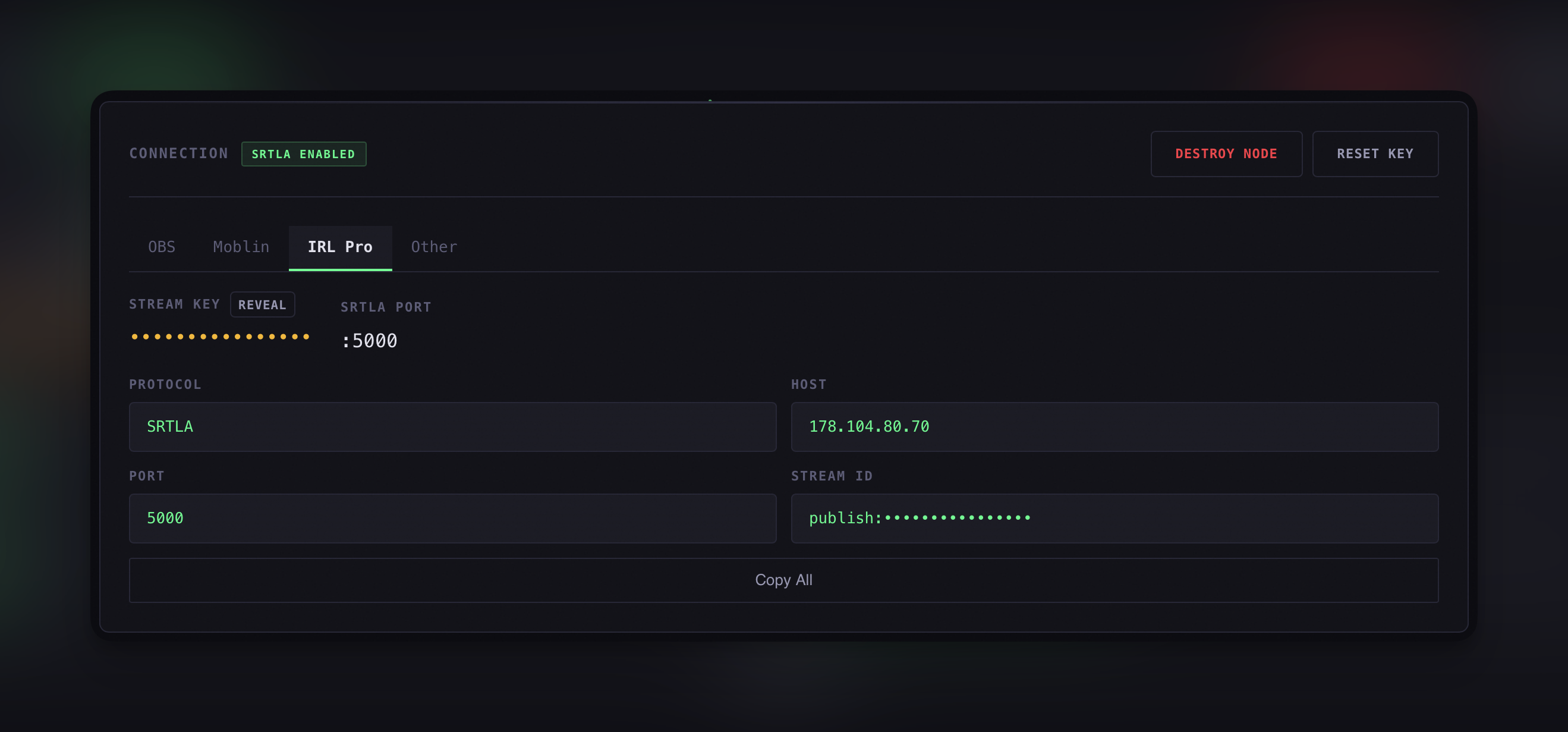
In your IRLHost dashboard, click the IRL Pro tab. You will see four fields: Protocol, Host, Port, and Stream ID. Open IRL Pro on your phone and go to Settings → Connections → New Connection. Enter the details from your dashboard:
- Protocol: SRTLA
- Host: The host address shown in your dashboard
- Port: 5000
- Stream ID: The Stream ID shown in your dashboard
Tap Copy All in the dashboard if you want to copy the values quickly for reference.
Step 6: Go live
Start streaming in IRL Pro. Confirm that OBS is receiving the feed via the Media Source, then click Start Streaming in OBS. Your IRLHost dashboard shows bitrate and connection health in real time while you stream.
Tips for better performance
- Keep your screen on while streaming — some Android devices throttle network when the screen turns off
- In crowded areas or poor signal zones, try increasing latency to 3000-4000ms in IRL Pro connection settings
- If your phone supports H.265/HEVC, enable it in IRL Pro for better quality at lower bitrates — IRLHost relays it without any changes needed on the server side
- Choose the IRLHost server region closest to where you are streaming from
- If you have a spare phone nearby, turn it into a WiFi hotspot and connect your streaming phone to it. With SRTLA bonding enabled, your streaming app will combine the hotspot connection and your own mobile data into one stable stream. More bandwidth and a fallback if one connection drops, without any extra hardware.
Get started
Sign up at irlhost.gg. Your relay is ready in minutes. Works with IRL Pro, Moblin, Belabox, and any SRT-compatible encoder.
Want help with your IRL setup?
Leave your email and a seller can contact you with setup help, a walkthrough, or a specialized IRLHost offer.