How to Multistream IRL to Twitch and Kick at the Same Time
Streaming to both Twitch and Kick simultaneously is easier than it sounds — and your IRLHost relay makes it possible from a single phone. Here is how.
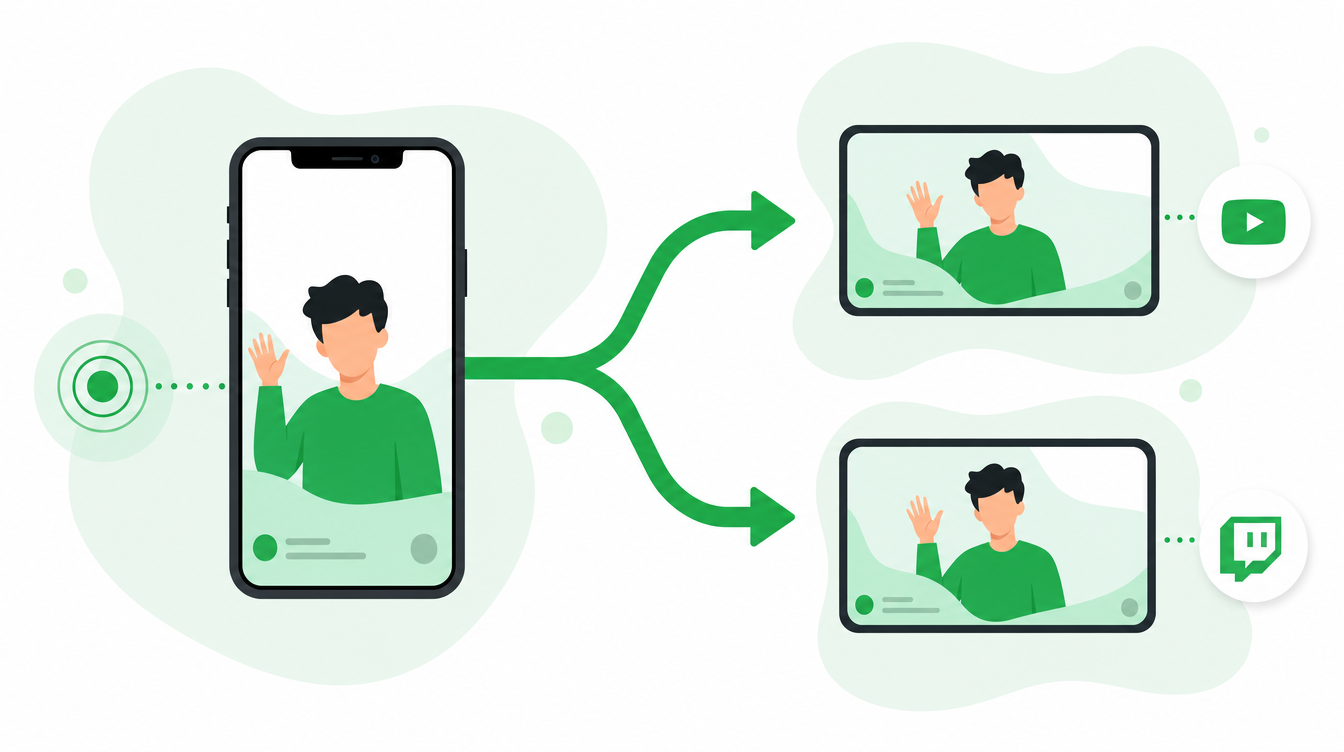
Stream to Twitch and Kick at the same time — here is how
Your phone sends one stream to your IRLHost relay. From there, you have three ways to distribute it to both platforms: your own OBS at home, a free multistreaming service, or IRLHost Studio's built-in multistream on Pro. Your stream keys for Twitch and Kick live in whichever tool does the distribution — not in the relay itself.
Phone → IRLHost relay → Distribution (OBS, Restream, or IRLHost Studio) → Twitch AND Kick
If you already have an IRLHost relay, multistreaming from OBS or Restream costs nothing extra. If you want it built in without running your own OBS, IRLHost Studio on Pro handles multistream natively.

Why multistream in 2026?
Kick is growing fast, and IRL content performs well there. Kick's 95/5 subscription revenue split is far more generous than Twitch's default 50/50, even after accounting for the higher tiers some Twitch partners can unlock. Many streamers are choosing not to choose — they stream to both platforms at once and let the audience find them wherever they are.
What you need
- An IRLHost relay server — €11.99/month + VAT
- Your Twitch stream key and your Kick stream key
- Moblin (iPhone) or IRL Pro (Android)
- One of: a PC at home running OBS, a Restream account, or IRLHost Pro (€29.99/month + VAT) for built-in cloud multistream
Option 1: IRLHost Studio on Pro (no home PC)
IRLHost Pro includes IRLHost Studio, a cloud OBS instance with multistream built in. Your phone streams to the relay, Studio receives it, and you configure both Twitch and Kick as outputs directly in the Studio dashboard — no home PC, no plugin, no third-party service.
- Open your IRLHost Pro dashboard and launch Studio
- Go to Stream Outputs and add Twitch — paste your Twitch stream key and select the Twitch ingest server
- Add a second output for Kick with your Kick stream key
- Start your phone stream to the relay — Studio picks it up automatically and pushes to both platforms
Because Studio runs in the cloud on IRLHost's infrastructure, the upload bandwidth for both outputs comes from the data center connection, not your home internet. This matters if your home upload speed is limited — see the bandwidth section below.
Option 2: Restream.io (simplest for OBS users)
Restream is a free multistreaming service. Instead of streaming directly from OBS to each platform, you point OBS at Restream, and Restream distributes your stream to all your connected platforms. It reduces the upload load on your home internet — OBS uploads once to Restream, and Restream handles the rest.
- Create a free account at restream.io and connect your Twitch and Kick accounts
- In OBS, go to Settings → Stream and select Restream as your service
- Enter your Restream stream key
- Restream distributes your stream to each platform
The free Restream plan covers multistreaming to two platforms — enough for Twitch and Kick — with paid plans adding more destinations and analytics [web:95][web:103].
Option 3: Multiple RTMP Outputs plugin for OBS (free, no third party)
If you prefer to stream directly from OBS without a third-party service, install the free Multiple RTMP Outputs plugin from obsproject.com/forum. It lets OBS push to as many platforms as you want simultaneously.
- Download and install the Multiple RTMP Outputs plugin from the OBS forum
- In OBS, go to Tools → Multiple RTMP Outputs
- Add Kick as a second output — select Custom RTMP and enter your Kick stream key and Kick ingest URL
- Start the second output before going live
Both streams run from OBS simultaneously. This method keeps everything on your own machine but requires more upload bandwidth — roughly double compared to streaming to one platform.
Setting up your IRL source in OBS (Options 2 and 3)
If you're using your own OBS at home, the scene setup is the same regardless of distribution method:
- In your main OBS scene, add a Media Source pointing to your IRLHost relay SRT Read URL (find this in the OBS tab of your IRLHost dashboard)
- Uncheck Local File, paste the URL into the Input field, and set Input Format to
mpegts - OBS receives your phone stream from IRLHost and distributes it to all configured platforms
On IRLHost Studio (Option 1), this step is handled automatically — Studio is already configured to receive your relay stream, so you go straight to adding outputs.
Does Kick allow multistreaming?
Kick allows multistreaming for most streamers. If you are on a Kick exclusivity deal or in their partner programme, check your contract terms first. For the vast majority of streamers, there are no restrictions.
Twitch has no multistreaming restrictions for non-partnered streamers. Twitch Partners are subject to exclusivity clauses in their partner agreement — check your specific terms, as Twitch's simulcast policy has evolved over the years.
Performance considerations
- Upload bandwidth (Option 3, OBS-native): Streaming to two platforms at once from your home OBS requires roughly double the upload bandwidth. A 4000 kbps stream to each platform needs around 8+ Mbps upload from your home connection
- Upload bandwidth (Options 1 and 2): Both IRLHost Studio and Restream upload once from a data center connection and distribute from there — your home or mobile upload only has to carry the stream once, to the relay
- IRLHost relay is unaffected either way: The relay serves one inbound connection from your phone and one outbound connection to your distribution point (OBS, Restream, or Studio). Multistreaming itself adds load only downstream of the relay, never to it
Chat when multistreaming
You have chat in two places at once. Tools like Restream Chat and Chatterino merge multiple chat streams into a single view. IRLHost Link can be configured to monitor chat commands from both Twitch and Kick simultaneously, so your mods can control OBS — or IRLHost Studio — from either platform.
Which option should you pick?
| Option | Best for | Home upload needed | Extra cost |
|---|---|---|---|
| IRLHost Studio (Pro) | No home PC, simplest ongoing management | None — cloud handles distribution | Included in Pro (€29.99/month + VAT) |
| Restream.io | OBS users who want to save home bandwidth | Single upload, to Restream | Free for 2 platforms |
| Multiple RTMP Outputs plugin | OBS users who want no third party involved | Double upload, direct to both platforms | Free |
Summary
- Your IRLHost relay delivers one stable feed — multistreaming is handled downstream, by OBS, Restream, or IRLHost Studio
- IRLHost Studio on Pro multistreams natively in the cloud — no home PC, no plugin, no third-party account
- Restream.io (free) is the simplest option for OBS users — reduces upload load on your home connection
- The Multiple RTMP Outputs plugin keeps everything on your own machine, but needs more bandwidth
- Check your platform partner agreements before multistreaming
- IRLHost works exactly the same whether you distribute to one platform or ten
Get started
Sign up at irlhost.gg. IRLHost Plus includes the relay server from €11.99/month + VAT. Want multistream without a home PC? IRLHost Pro adds cloud OBS with built-in multistream from €29.99/month + VAT.
Want help with your IRL setup?
Leave your email and a seller can contact you with setup help, a walkthrough, or a specialized IRLHost offer.